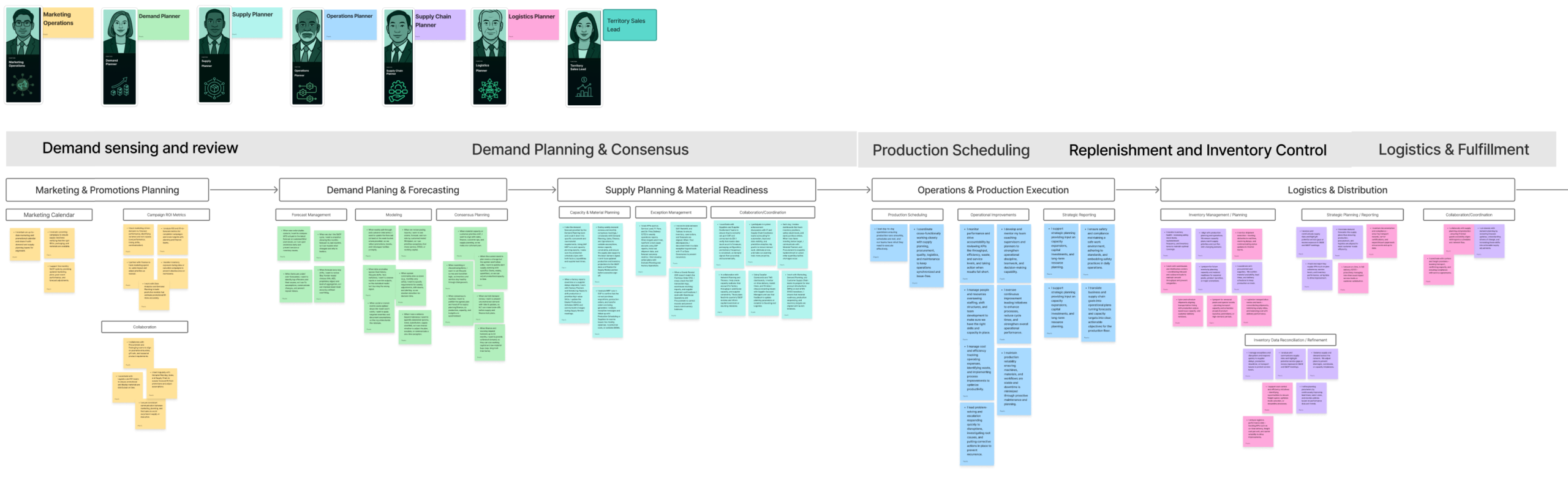
Supply chain planning is a high-stakes balancing act: aligning demand forecasts, supply constraints, inventory targets, and operational realities, often across disconnected systems and constantly changing market conditions.
This project focused on discovering where agentic AI could meaningfully support planners, not by replacing human decision-making, but by reducing cognitive load, surfacing insights earlier, and automating repetitive coordination work.
My role was to lead a structured discovery process to identify where agentic workflows create real value for Demand and Supply Planners.
The UX & Serivce Design Challenges
Despite sophisticated planning tools, planners still rely heavily on:
- Manual data reconciliation
- Spreadsheet-driven scenario analysis
- Reactive exception handling
- Constant cross-functional communication
- Lack of trust in the current forecasting methods
- Executives manipulating projections upwards to self promote
- A disconnect between actual demand and sales requests due to differing objectives
.
AI opportunities existed but without deep user understanding, there was a real risk of automation without trust or intelligence without actionability.
- How might we identify agentic workflows that augment planner expertise rather than overwhelm or override it?
- Pull back the covers on the AI Black Box so the user trusts the outputs, “Hands On The Wheel”
- How do we convey to the user we’re supporting and enhancing their work, not replacing them with AI?
- Get the user and organisation to the point where they become more productive and entrust more work to the agents, “Hands Off The Wheel“
Research Approach
The discovery process was intentionally grounded in real planning work, not abstract AI capabilities.
Research Framework
1 Define core personas
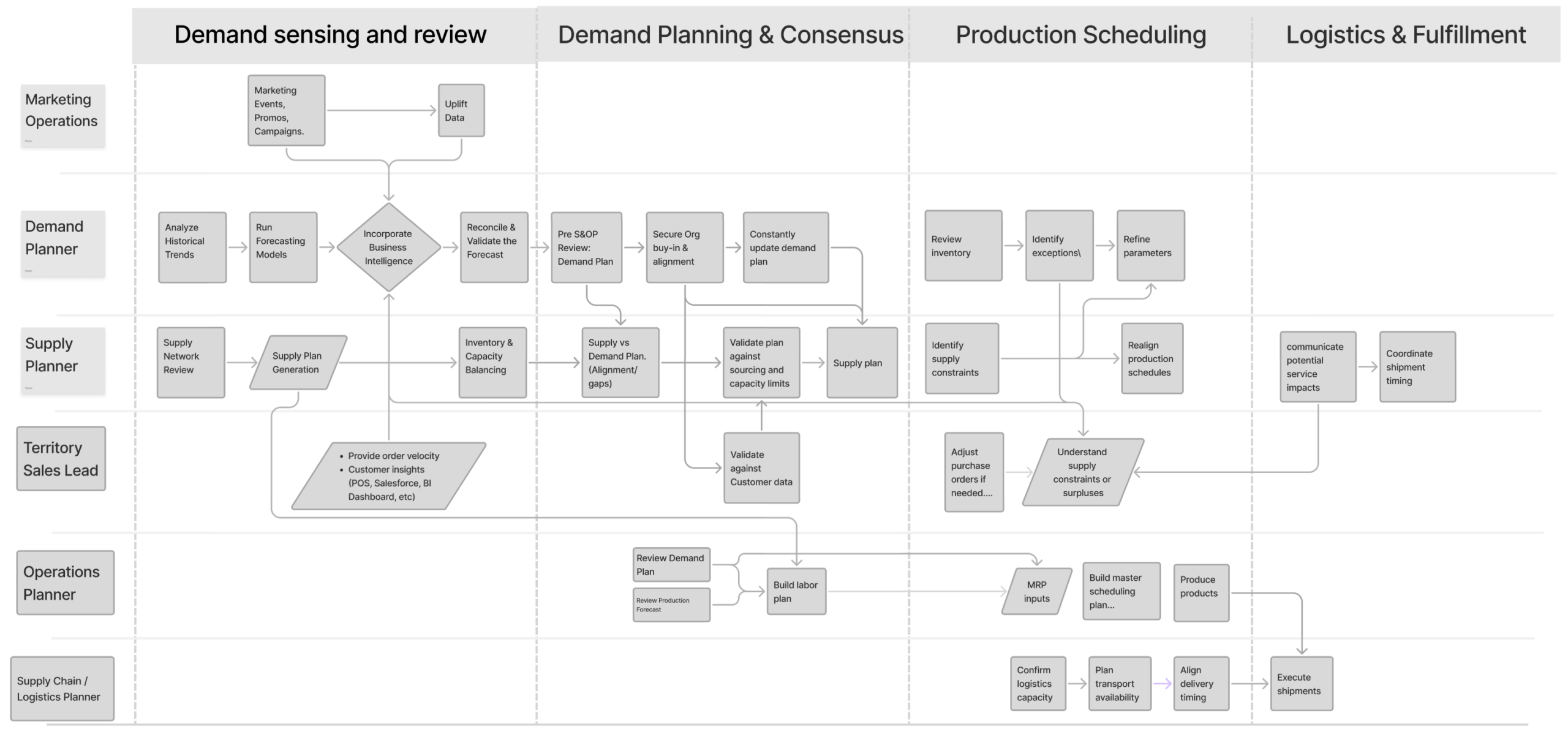
2 Map end-to-end supply chain processes
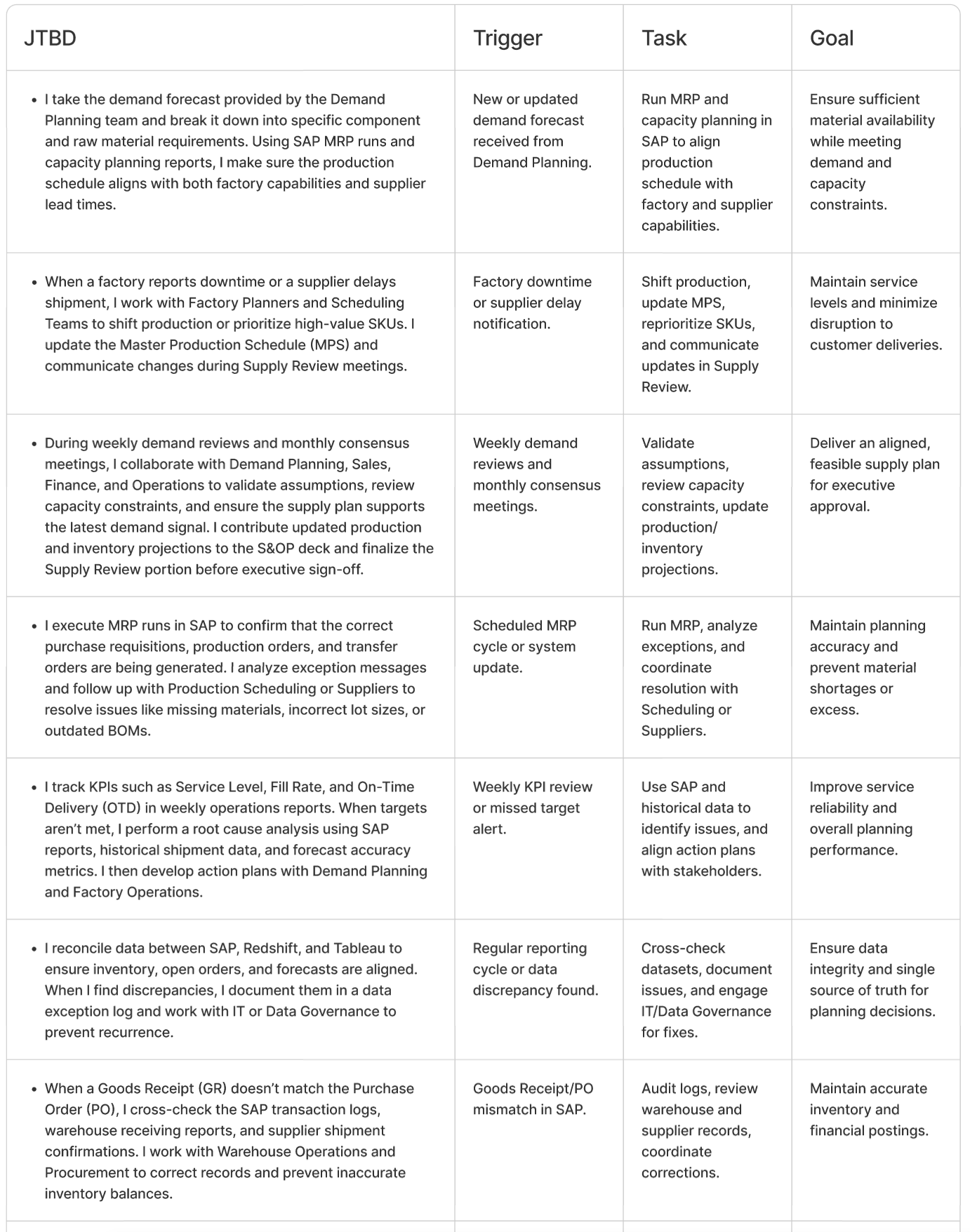
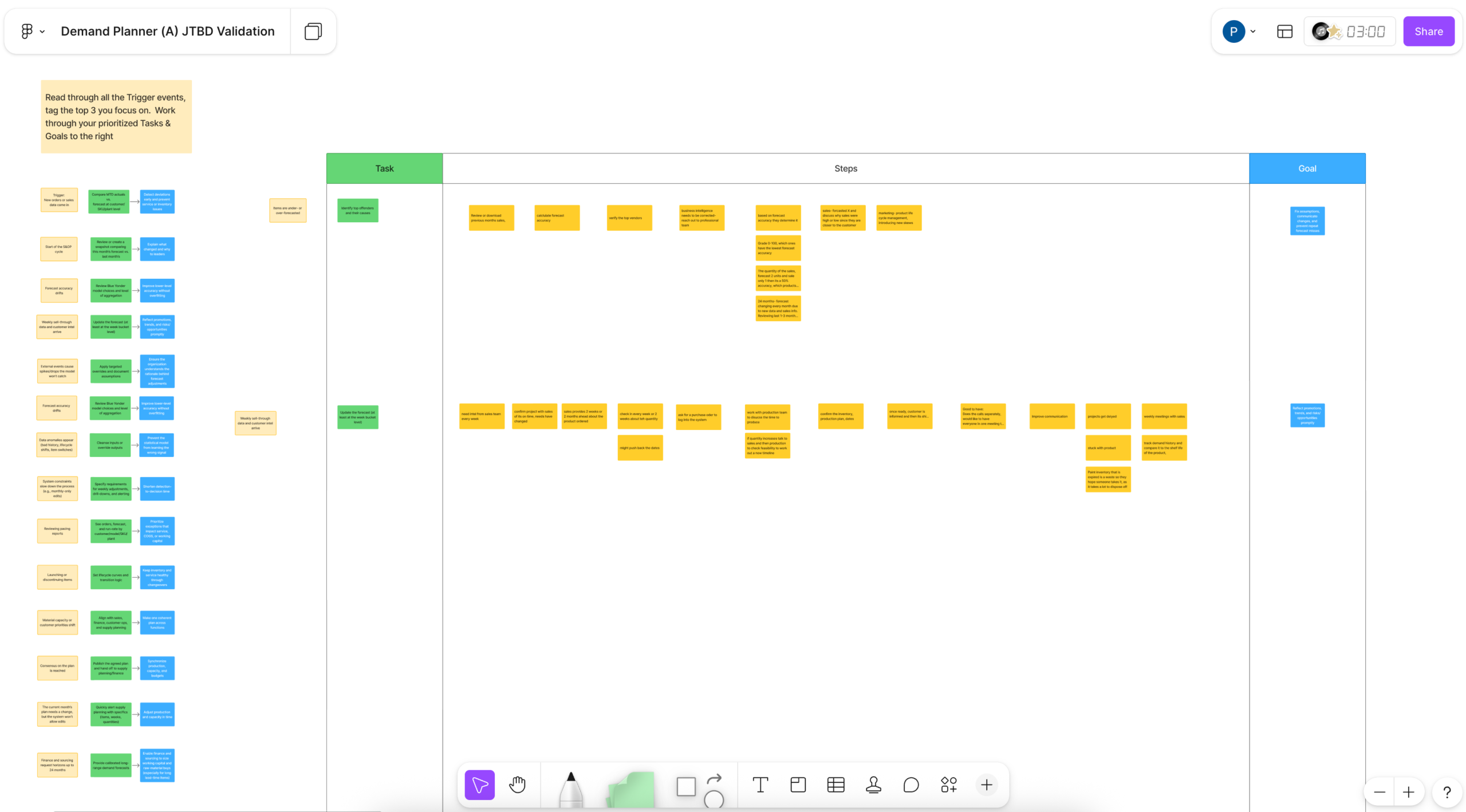
3 Validate personas, processes, and JTBD with real users
4 Identify pain points and opportunity areas
5 Overlay opportunities onto processes to reveal agentic workflows
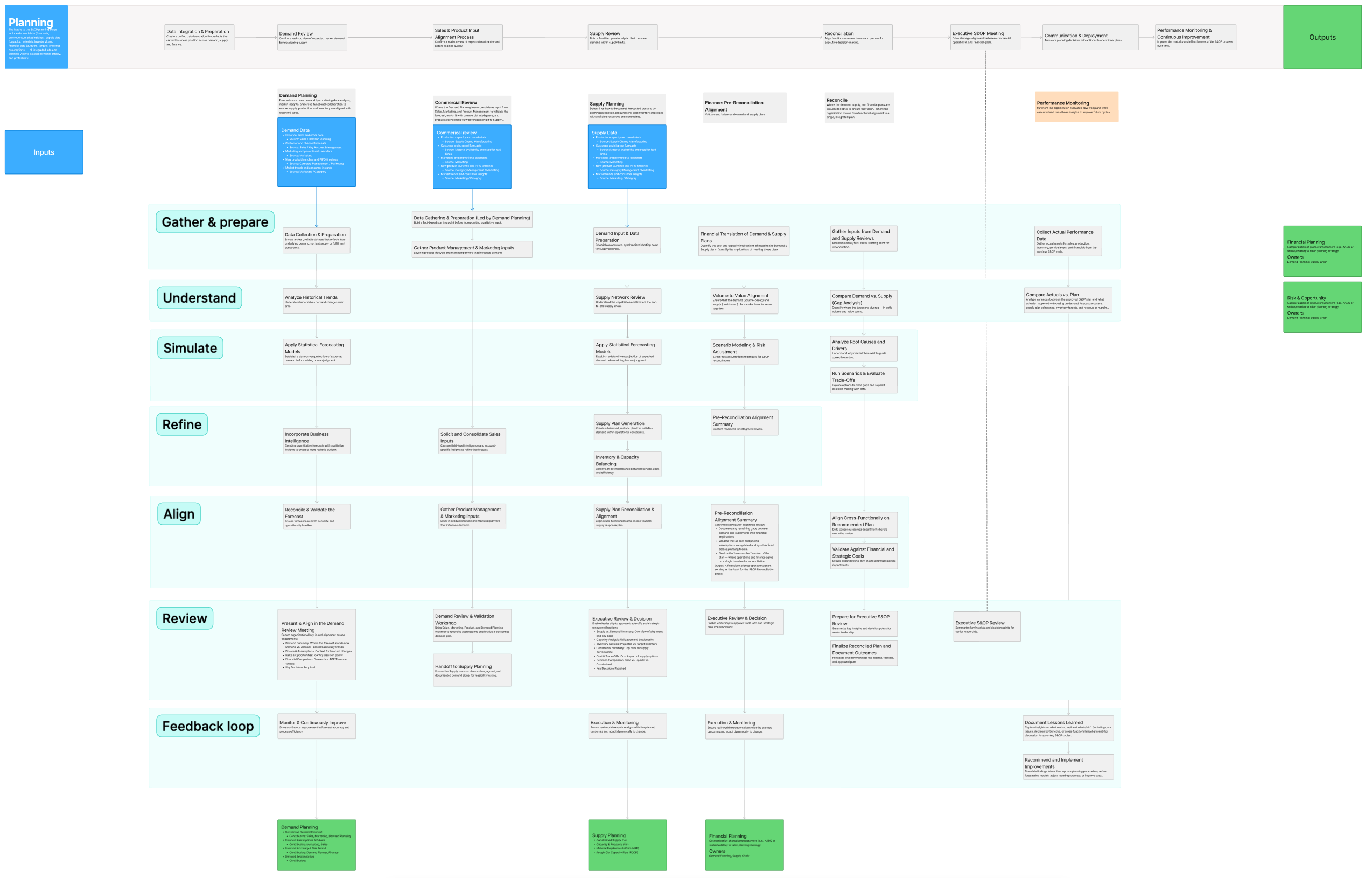
Here is the industry standard “Sales & Operations Planing” process on the horizontal axis, with the standard operation procedures for our key personas aligned in vertical silos. This helped us define the product IA and navigation (teal coloured labels).
Personas: Who We’re Designing For
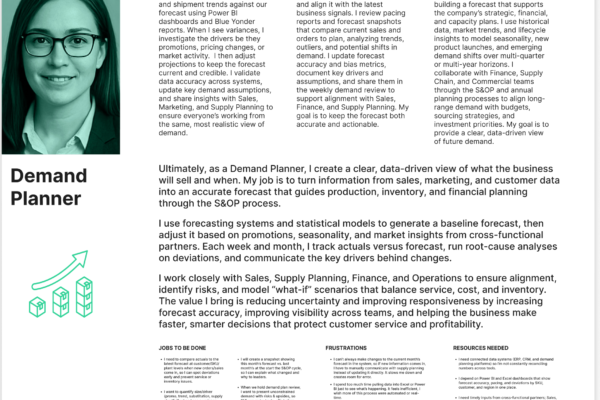
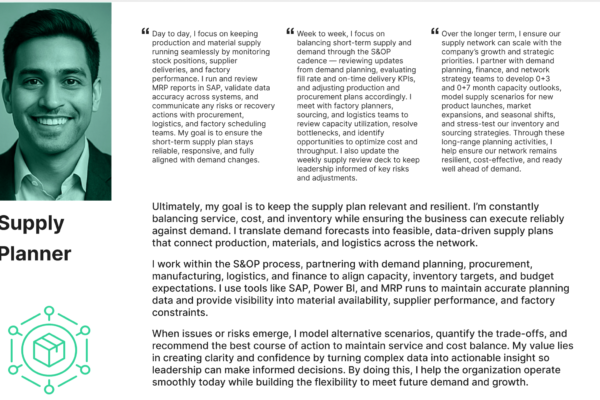
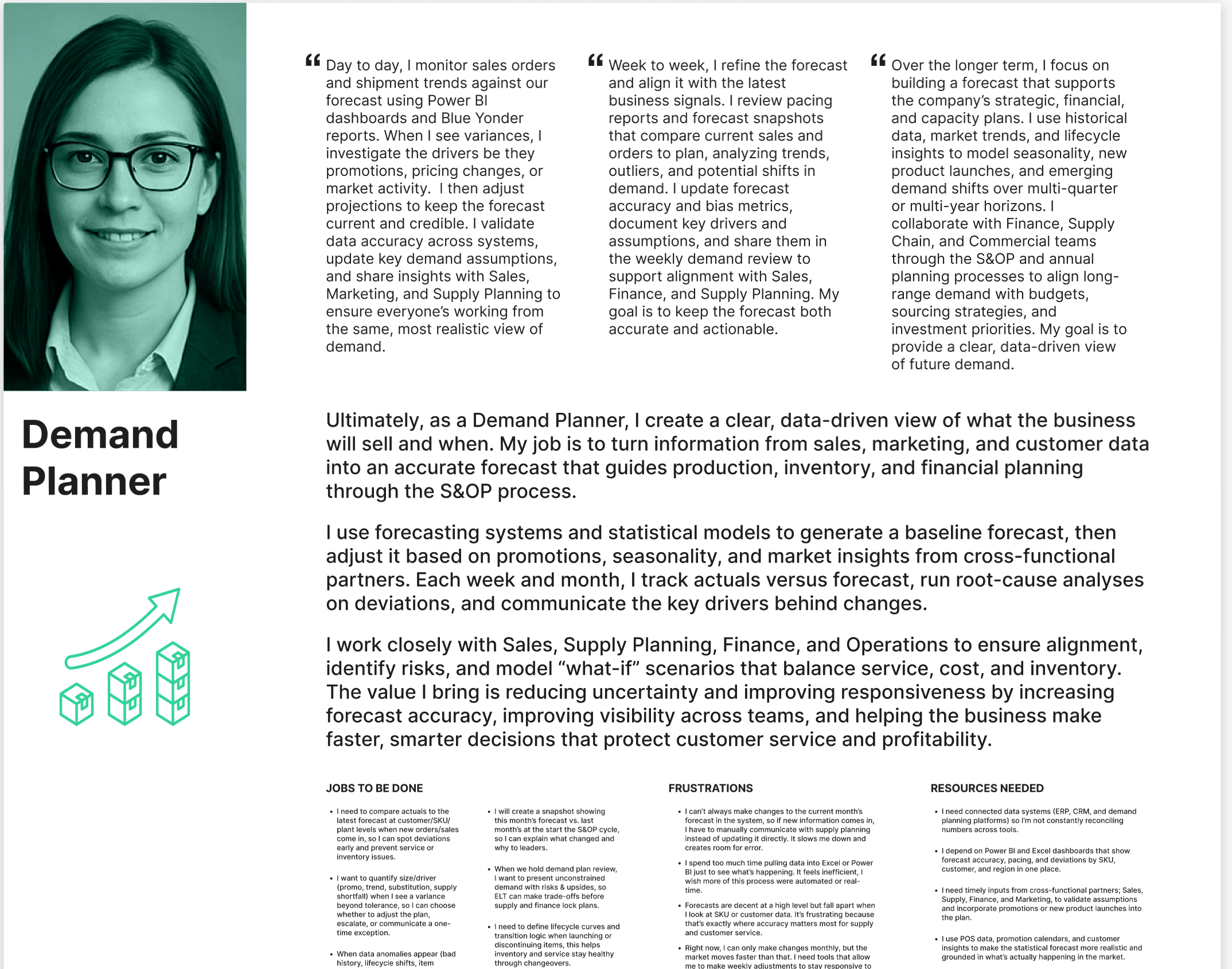
We identified 12 actors in the Supply & Operations process with 2 key Personas that were our target users for the underlying value proposition we were bringing to market – Forecasting
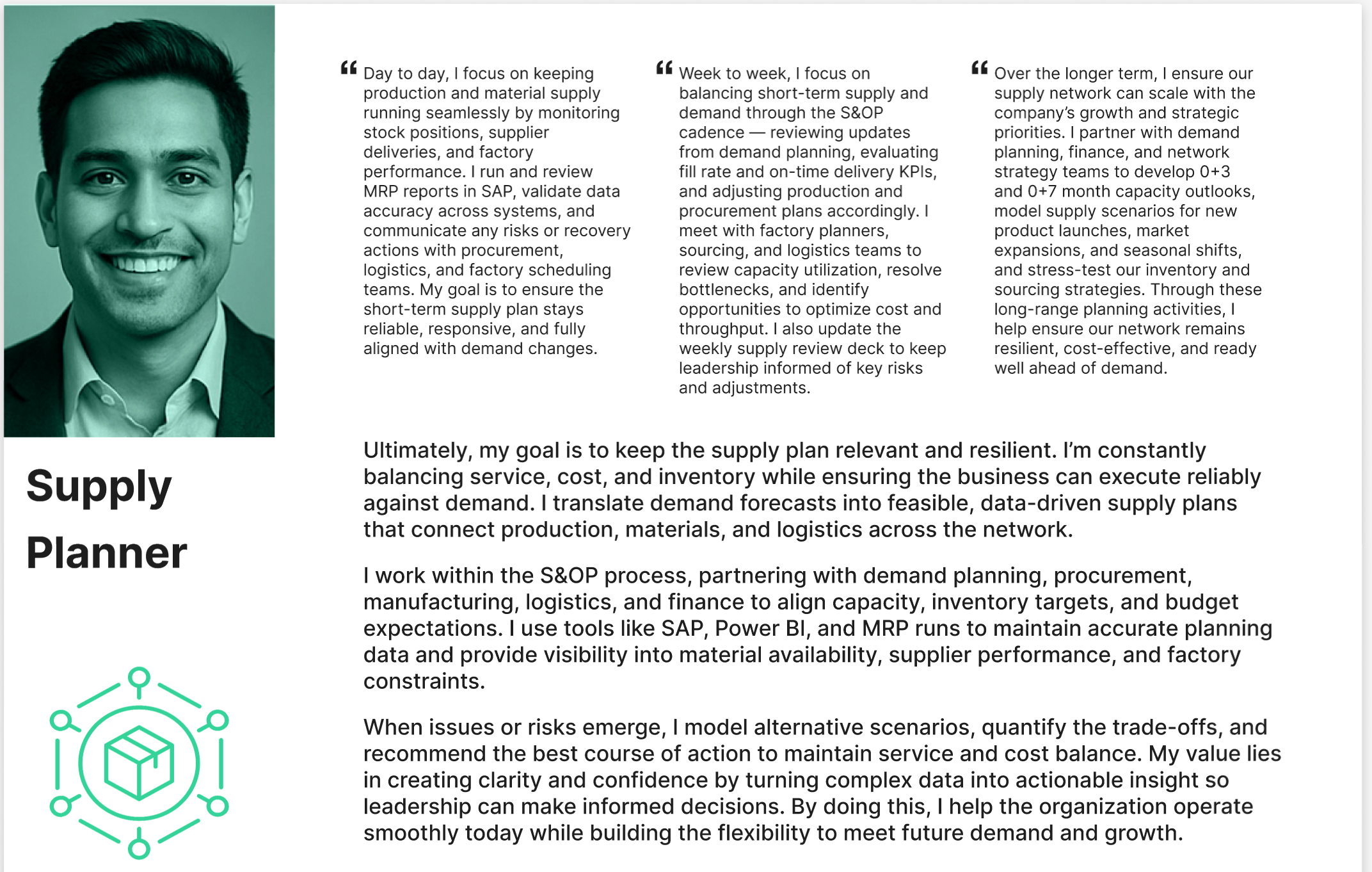
Demand Planner
• Owns demand forecasting and scenario planning
• Balances sales input, historical data, and market signals
• Pain points: forecast volatility, manual adjustments, late insights
Supply Planner
• Owns supply feasibility, capacity, and inventory health
• Manages constraints across suppliers, manufacturing, and logistics
• Pain points: exception overload, delayed signals, reactive firefighting
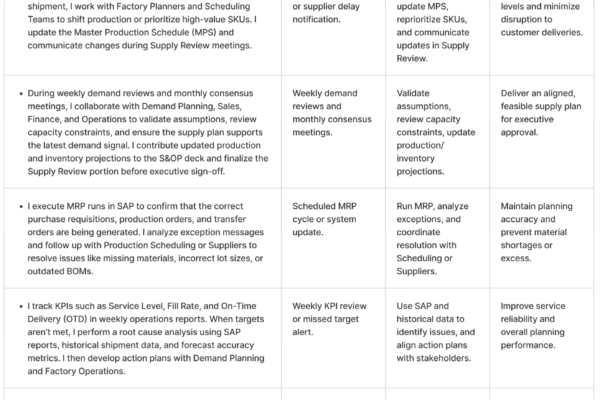
Key insight: Both roles are decision-heavy, time-constrained, and highly accountable, making trust and explainability critical for any agentic system.
Supply Chain Process Mapping
We mapped the end-to-end planning process (Image 1) , including:
• Demand signal intake
• Forecast generation & review
• Supply feasibility checks
• Constraint resolution
• Scenario iteration
• Plan publication and execution monitoring
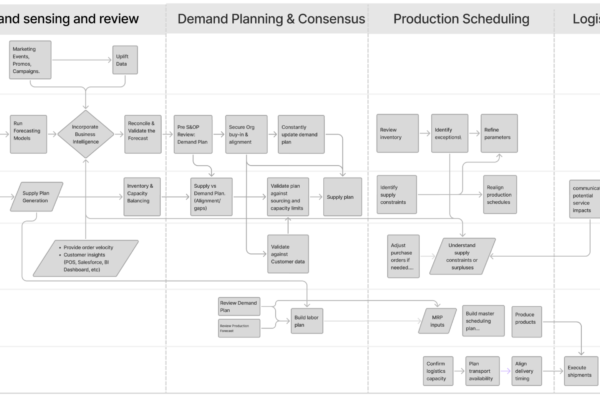
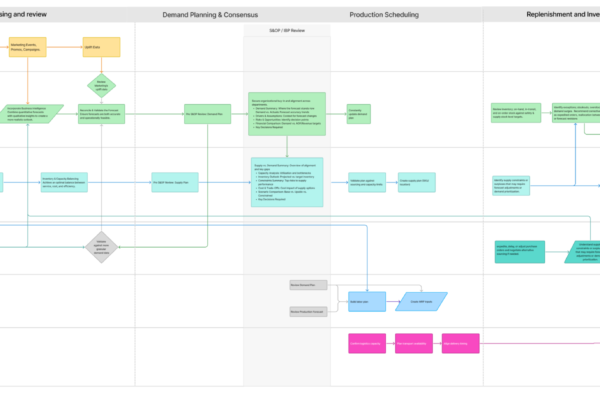
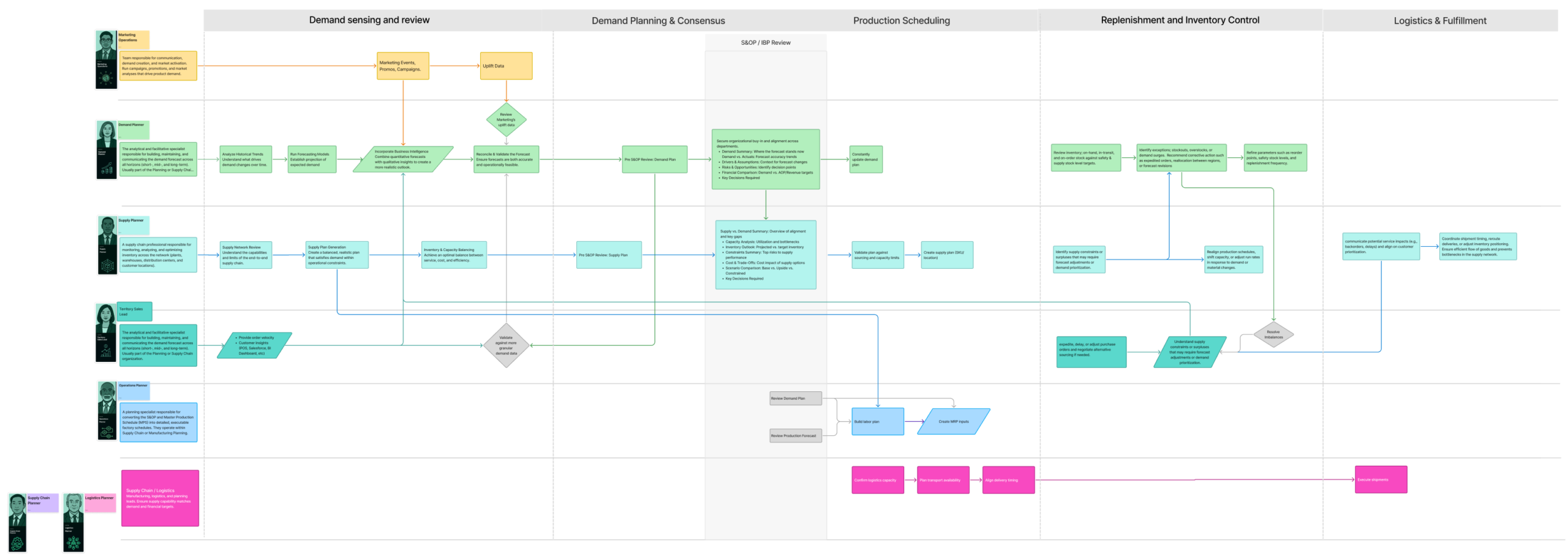
I overlaid the process with our target personas shared artifact (Image 2) This then became the backbone for aligning research, design, and AI exploration.
Validation with Real Users
We validated:
• Persona accuracy
• Process ownership boundaries
• Jobs to be Done at each stage
User sessions confirmed that most pain occurs between steps, not within individual screens.
Jobs to Be Done Examples
• “Help me understand what changed and why”
• “Show me which constraints actually matter right now”
• “Let me test options quickly without breaking the plan”
• “Alert me early enough to act—not after it’s too late”
Pain Points & Opportunity Mapping
We overlaid validated pain points and opportunities directly onto the supply chain process map.
Common Pain Patterns
• Manual cross-system reconciliation
• Late discovery of constraints
• Repetitive scenario setup
• Excessive exception noise
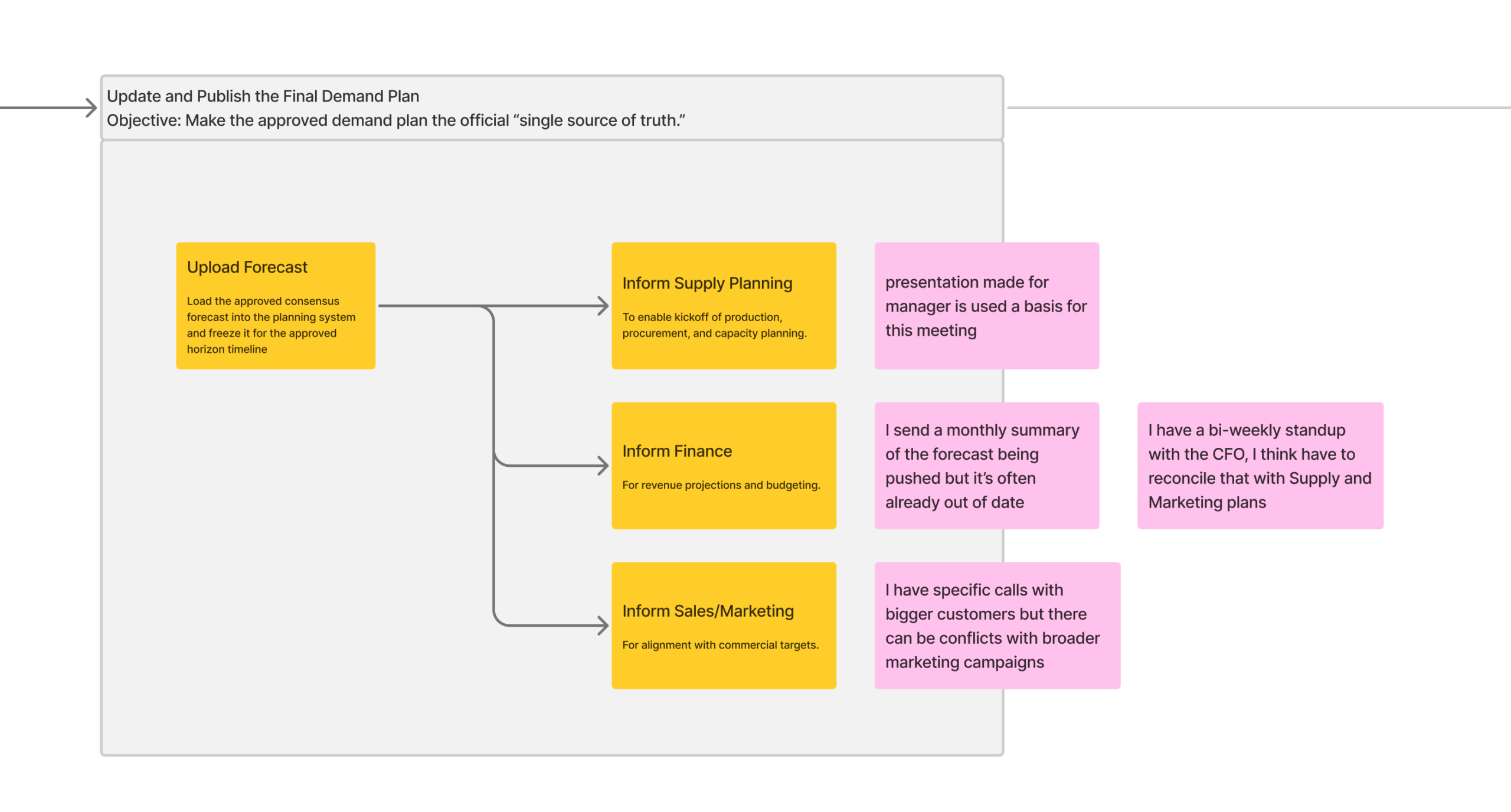
This revealed clear seams where agentic workflows could operate continuously in the background.
Identifying Agentic Workflows
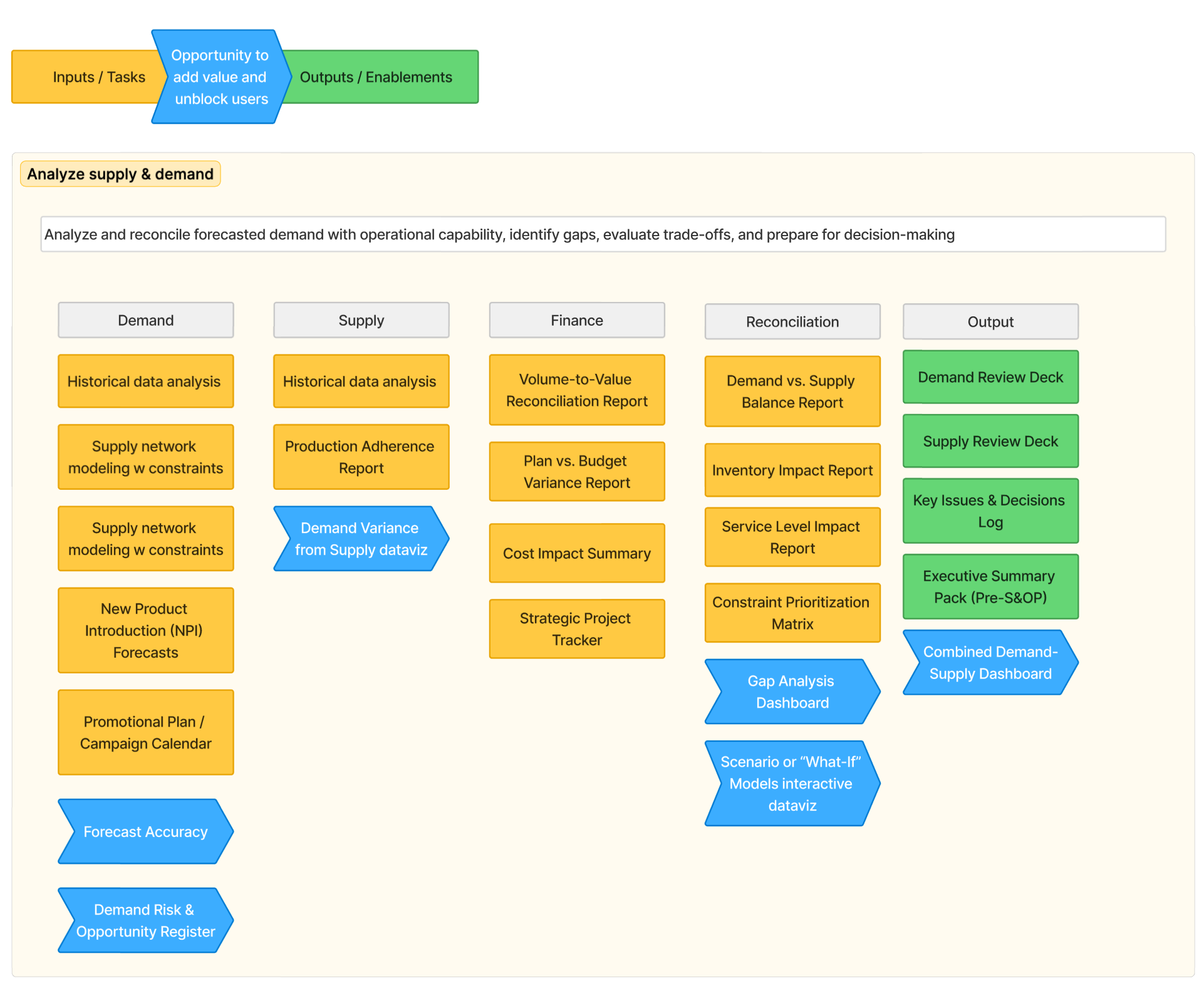
Rather than “AI features,” we identified agent roles embedded in the workflow:
Example Agentic Workflows
• Forecast Watchdog Agent
: Continuously monitors demand signals and flags material changes with contextual explanations.
• Constraint Resolution Agent
: Proactively simulates supply impacts and proposes feasible resolution options.
• Scenario Builder Agent
: Generates comparable what-if scenarios automatically, based on planner intent.
• Exception Triage Agent
: Prioritizes alerts based on business impact, not raw variance.
Each agent supports planners before decisions are urgent, preserving human control while improving foresight.
Design Principles for Agentic UX
• Human-in-the-loop by default
• Explain before acting
• Progressive autonomy (suggest → assist → automate)
• Process-aligned, not tool-centric
These principles ensured agents felt like trusted collaborators, not black boxes.
Outcome & Impact
• Clear identification of high-value agentic opportunities
• Shared understanding across product, design, and AI teams
• Reduced risk of over-automation or misplaced AI investment
• A repeatable framework for future agentic discovery efforts
Reflection
Agentic workflows are most powerful when they are discovered through human work, not imposed by technology.
By grounding AI exploration in personas, processes, and jobs to be done, this work ensured that autonomy was introduced where it helps most, and only when trust is earned. I have split Agentic user support into two types;
- The AI Assistant: An always available text interface where the user can prompt tasks. This interface will also present predefined prompts based on common tasks identified in the research above.
- The AI Coworker: These are automatable, often time consuming, tasks the user performs as part of their job. These agents are akin to hiring an intern, capable but they need guidance in the form of Standard Operating Procedures, to ensure the desired output.
There is increasing reporting highlighting the limitations of the chat window assistant pattern. Users are increasingly finding the output unreliable or outright incorrect. I believe the more structured Coworker model will provide users with real value as there is upfront research work that understands user’s processes and goals.
I have started work on complementing the Assistant pattern with an “Agentic Factory” where the user can choose, run and monitor these agent, much as if they were managing a team of interns.